
THE GUIDE
See the whole picture. Then put it in order.
Install KoiTab, then open the koi icon in your toolbar. Three workspaces help you understand the clutter, arrange your pages and revisit saved links.
Start with Diagnosis
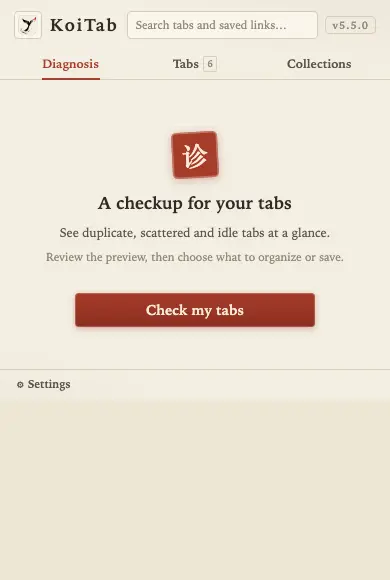
Choose the current window or all windows. Review duplicates, scattered pages and idle tabs. Check the organization and archive previews before running either action.
Choose grouping detail
After diagnosis, choose Coarse, Medium or Fine on the Organize card. Coarse combines the main site; Medium separates subdomains such as Gmail and other Google apps; Fine also separates Google Docs, Sheets, Slides and Excel, document or PDF files on the same host. Coarse is the default. Your choice is saved automatically and browser groups change when you organize.
Organize with one click
KoiTab removes duplicate pages, ungroups single-tab groups, gathers related pages and reorders tabs. Wait for it to finish before starting another organizing or deletion action.
Ungroup and keep every tab
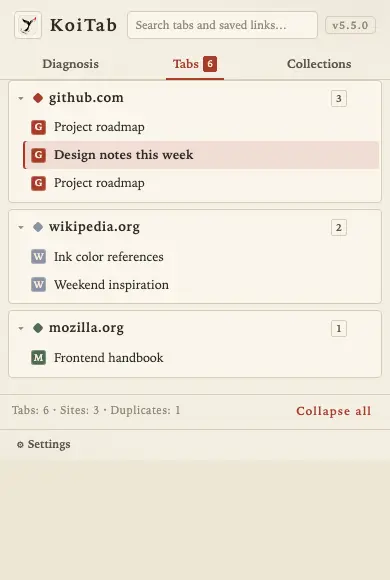
In Tabs, use the Ungroup button beside a site group heading to remove that site's browser grouping. This only removes browser grouping: it does not close, deduplicate, archive or explicitly move tabs. Search still applies to the site's full membership. Organize again to rebuild groups.
Browse the Tabs view
Browse by site and collapse headings. The global search covers open tabs, KoiTab saves and browser bookmarks; select an entry to jump to its page. The close control beside a group closes that site's pages, so use it deliberately.
Archive pages you can return to later
Choose a 3-, 7- or 30-day threshold, then archive. Active and pinned pages are excluded. If nothing qualifies, KoiTab explains why.
Return through Collections
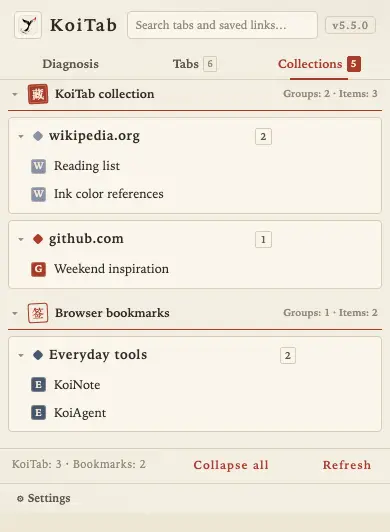
KoiTab's saved links and browser bookmarks appear in separate sections and share the global search with open tabs. Open a saved entry to revisit its URL. An archive is a link, not a webpage snapshot or a copy of unsent form data.
Back up favorites and settings
Open Settings at the bottom left and choose Export backup to save a JSON file. To move to another browser or recover after reinstalling, choose Import backup, review new and duplicate counts, then confirm. Favorites merge by full URL, keeping existing entries. Select Also restore settings from the backup to restore language, organizing preferences and collapsed groups.